
What your customers receive
Every message Woozi can send your customers automatically: booking confirmations, reminders, cancellations, and more, with what each one looks like.
Woozi sends your customers a handful of automatic messages: it confirms their booking, reminds them before it, and tells them if anything changes. This page shows exactly what each one looks like and when it goes out, on WhatsApp, Instagram, Messenger, or email.
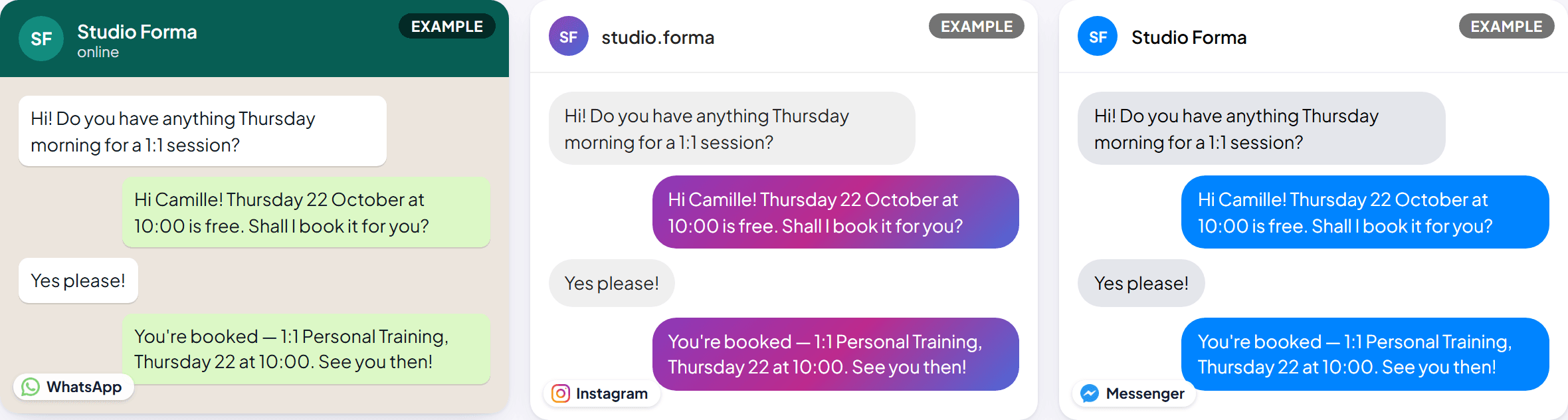
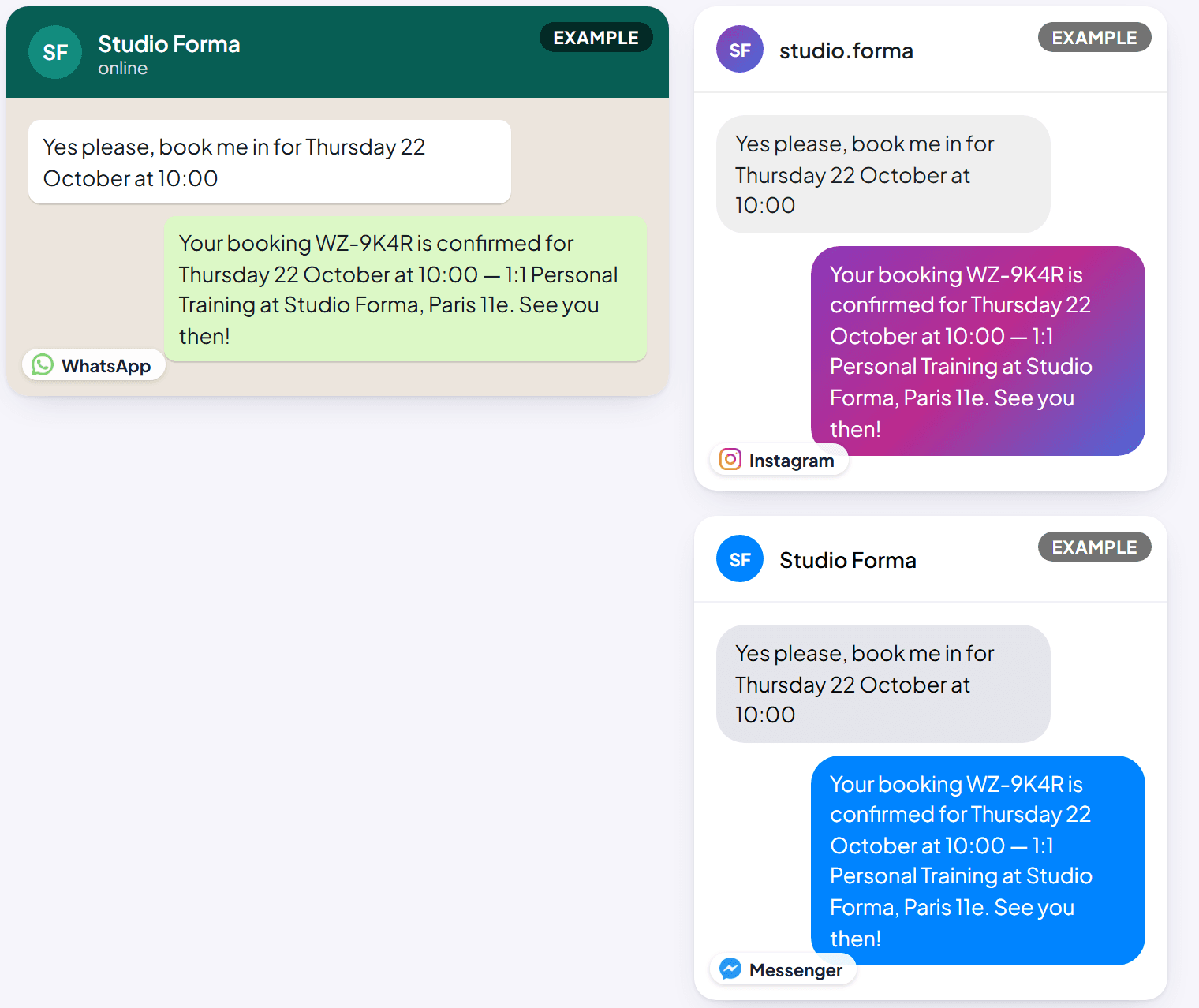
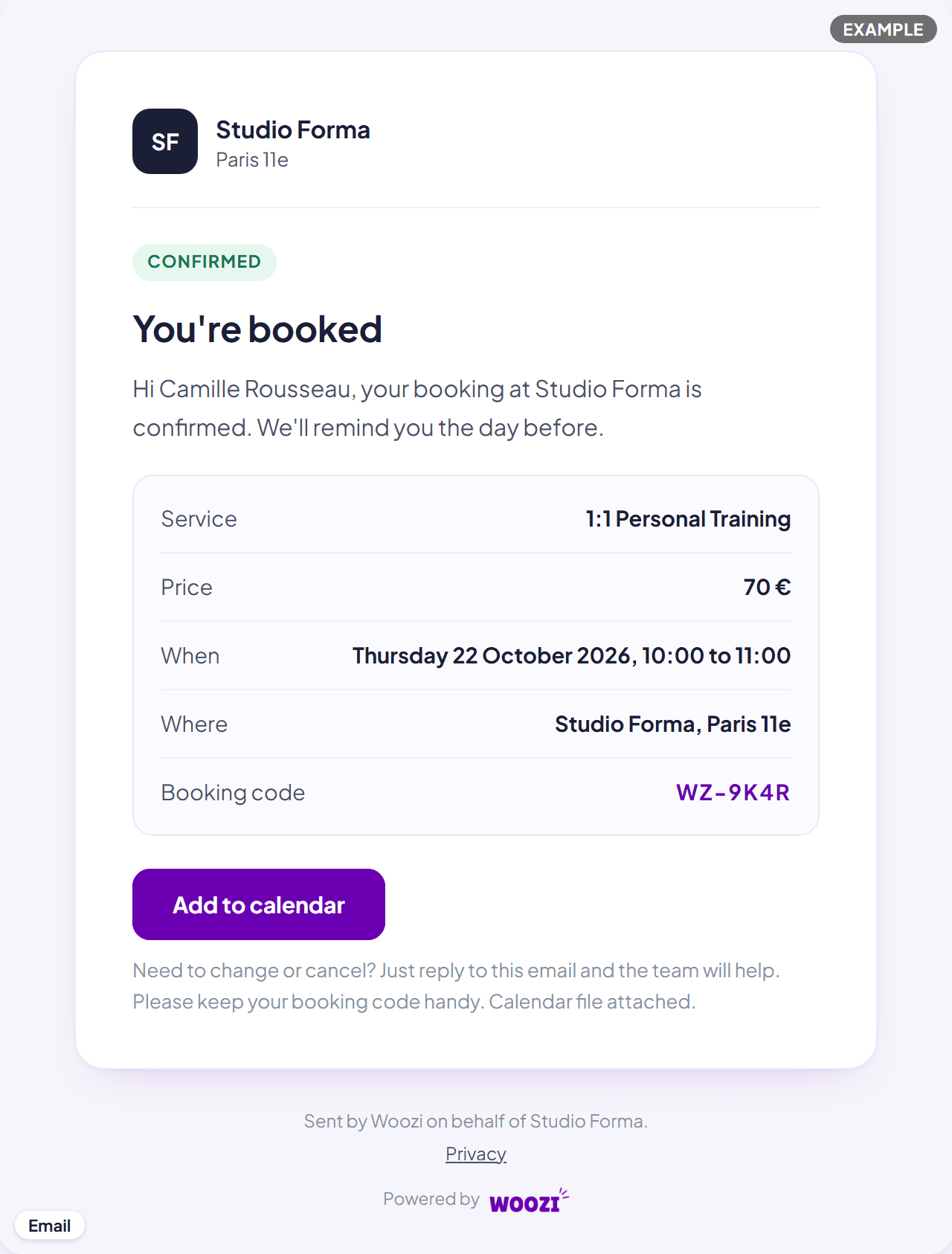
Every picture on this page uses fake example data (a customer called Camille, booking a 1:1 Personal Training session at a studio called Studio Forma) so you can see each message in full, not a blank template.
Booking confirmation
When it's sent: the moment a booking is confirmed, however it was made (in chat, through your booking link, or added by your team). Channels: a booking made in chat is confirmed right away by Woozi AI in that same conversation (WhatsApp, Instagram or Messenger), and if the customer also has an email address on file, they get the confirmation email too, with the appointment attached as a calendar file. A booking made through your booking link gets the email. Can I turn it off? No. A chat booking is always confirmed in the chat it was made in, and every confirmed booking with an email address gets the email.
24-hour reminder
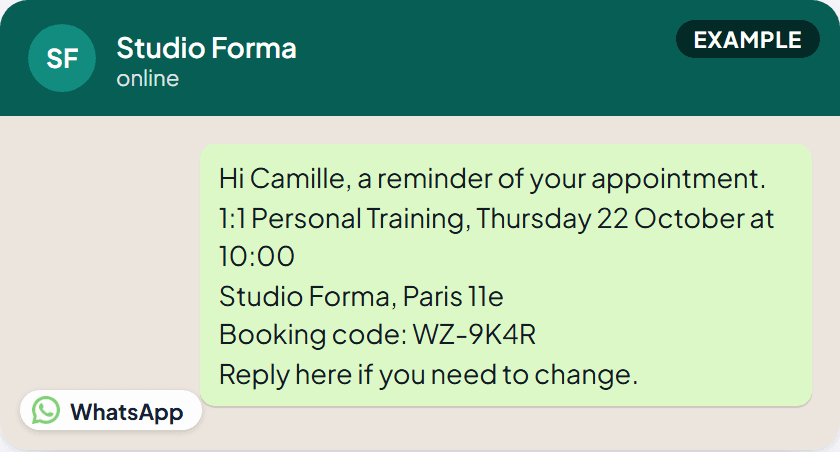
When it's sent: 24 hours before the appointment (skipped if the booking itself was made less than 24 hours before, there's nothing to remind yet). Channels: WhatsApp, plus email if the customer has an email address on file.
-
The customer wrote to you in the last 24 hours: the WhatsApp reminder is an ordinary message in your conversation, and it's free.
-
They haven't: WhatsApp only lets a business start a conversation with a pre-approved message, so Woozi sends its own approved reminder message instead (Meta calls this a template). It names the service, the day and time, the place and the booking code, and has two buttons:
- I'll be there: the booking shows Attendance confirmed, and the customer gets a short "see you then".
- Change time: Woozi AI offers new times for that exact booking in the chat. If Woozi AI isn't answering that chat (it's switched off, or someone on your team has the conversation), your team is notified, the booking is marked "Wants another time", and the customer is told someone will get back to them.
This version goes to customers who booked with you in a WhatsApp chat.
What it costs: a reminder sent the second way is billed by Meta to your own WhatsApp account, about $0.03 per message (the exact price depends on the customer's country). Woozi doesn't charge for it. Meta needs a payment method on your WhatsApp account for this: if it refuses one, Woozi pauses these reminders, emails the reminder instead, and lets you know. Add a payment method in WhatsApp Manager, then turn the switch below back on. Can I turn it off? The reminder itself always goes out for a confirmed, verified booking. The paid WhatsApp version has its own switch: Bookings > Online booking > WhatsApp reminders after 24 hours. With it off, a customer who hasn't written recently gets the email only. If a customer replies STOP: they don't get WhatsApp reminders from you anymore (ARRET or ARRÊT works too). Their email reminders carry on, and their contact shows No WhatsApp reminders.
4-hour reminder
When it's sent: 4 hours before the appointment. If that falls between 9pm and 8am, Woozi sends it at 8pm the evening before instead, so nobody gets a message in the middle of the night. Channels: WhatsApp, but only as an ordinary message to a customer who wrote to you in the last 24 hours: the 4-hour reminder never uses the paid version. Plus email if the customer has an address on file. Can I turn it off? No.
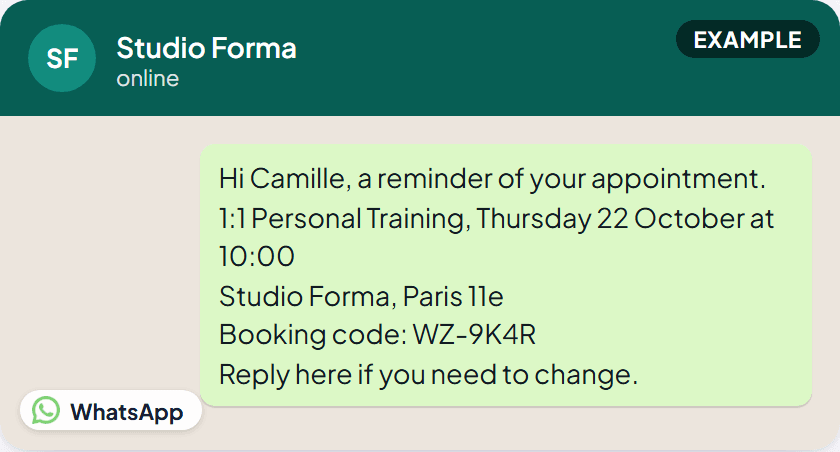
The 24-hour and 4-hour reminders say exactly the same thing, they name the day and time outright rather than saying "tomorrow" or "today" so the wording is never wrong if the 4-hour one gets shifted to the evening before. Only the timing is different, not the words.
If you reschedule them
When it's sent: as soon as a booking moves to a new time, in chat by your team, or by Woozi AI. Channels: email, with an updated calendar file attached. Can I turn it off? No.
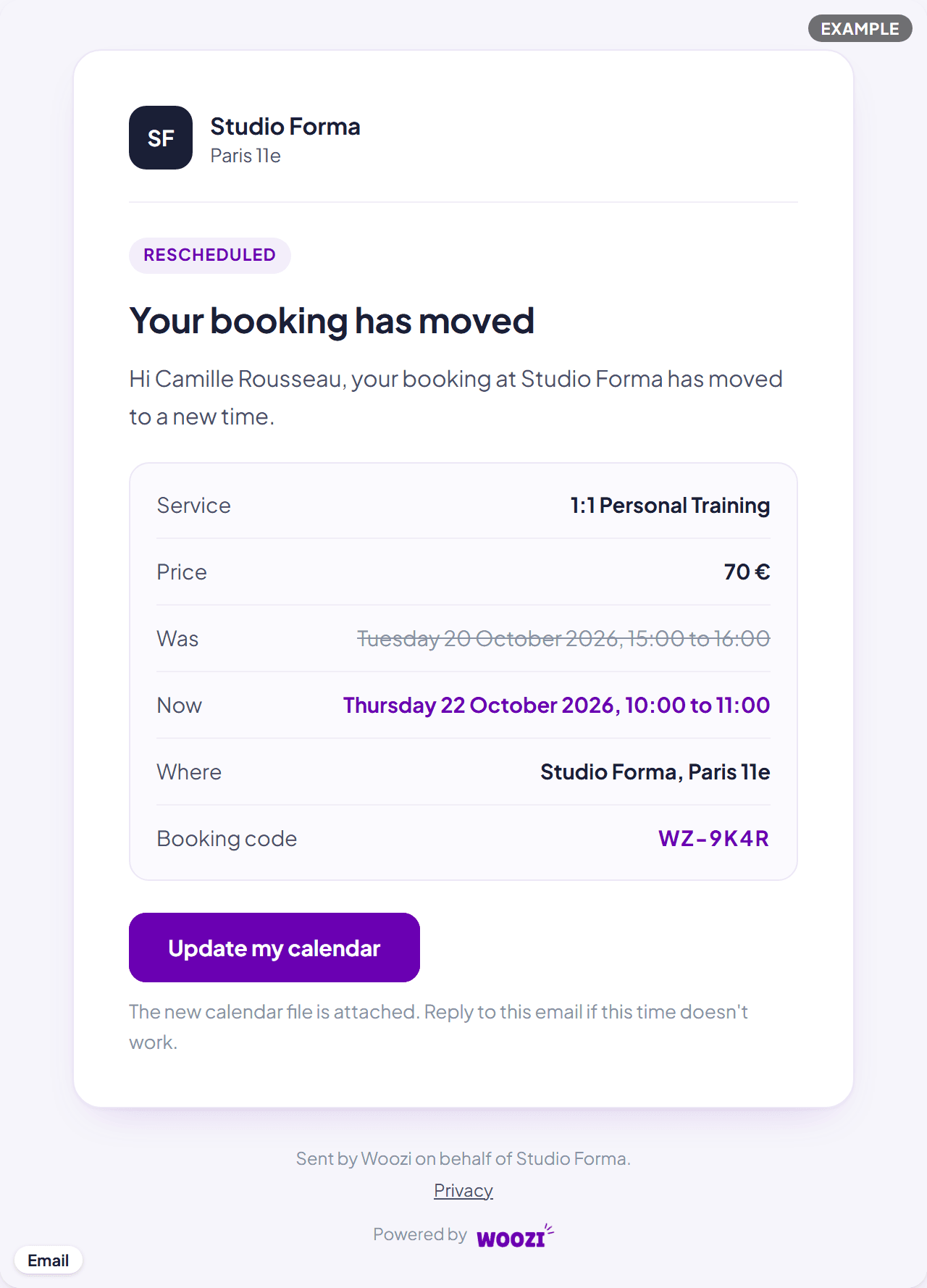
If they cancel their own booking
When it's sent: right after a customer asks to cancel and confirms it, in the same conversation. Channels: whichever channel they're writing on, WhatsApp, Instagram or Messenger. There's no separate cancellation email for this, Woozi AI confirms it in the chat the customer is already reading. Can I turn it off? No, and there's no fixed wording either: Woozi AI confirms the cancellation in its own words every time, always repeating the service, date, time and location. The picture below is a typical example, not an exact template.
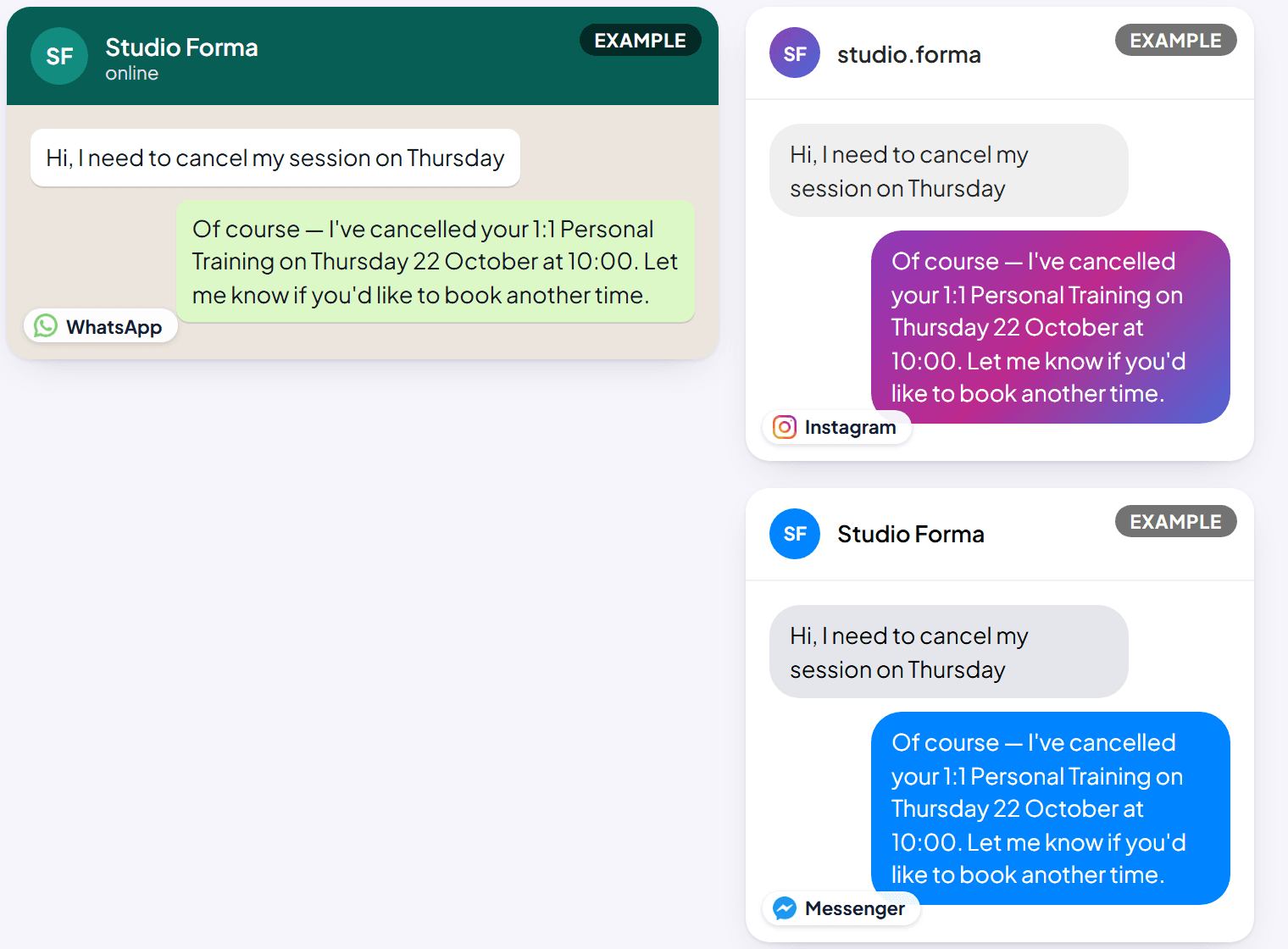
If you cancel their booking
When it's sent: when your team cancels a confirmed booking from Bookings. Channels: both, always attempted: a chat message (if their conversation window is still open) and an email. A customer with an open window and an email address gets both; one with neither gets nothing automatic, so call them. Can I turn it off? No, but you can add your own note (up to 300 characters) when you cancel, and it's included in both the chat message and the email.
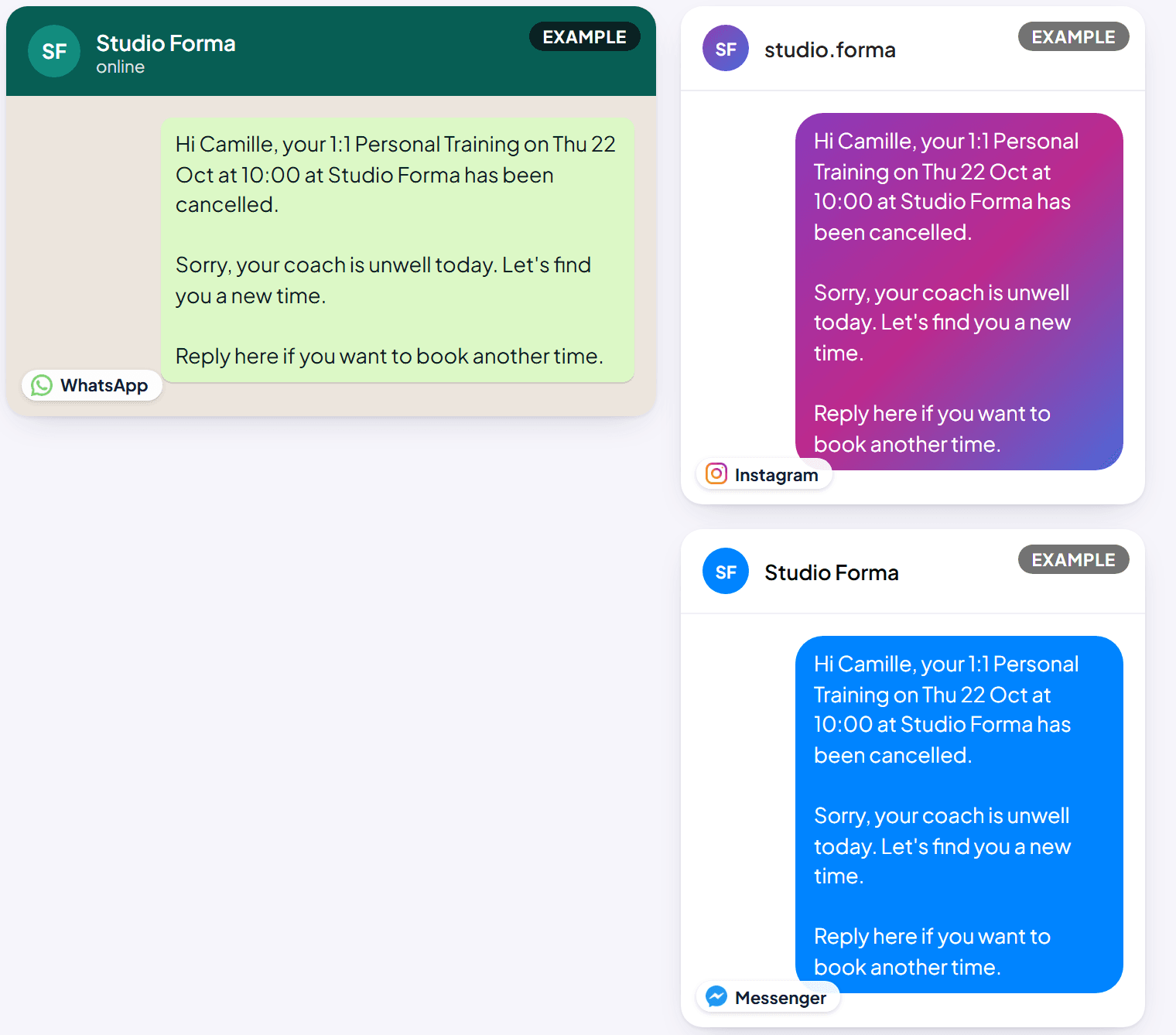
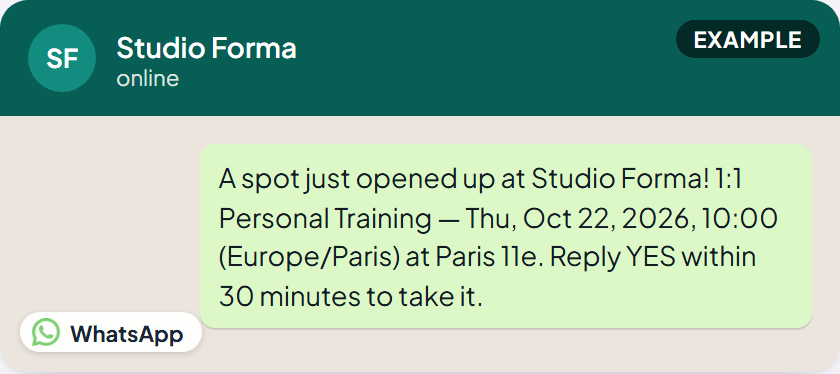
If a spot opens up (waitlist)
When it's sent: the moment a slot a customer is waitlisted for becomes free, someone cancels, or an earlier offer times out and it's the next person's turn. Channels: WhatsApp only, as a pre-approved message template (so it can reach a customer even outside a normal 24-hour conversation window). There's no email for this, by the time an email would be read, the 30-minute window to claim the slot would likely be over. Can I turn it off? The waitlist feature itself is optional. The exact wording of this one is approved separately, inside Meta's own system, not written in Woozi; the picture shows what a message built from Woozi's four fixed values (service, time, location, reply-by window) typically looks like.
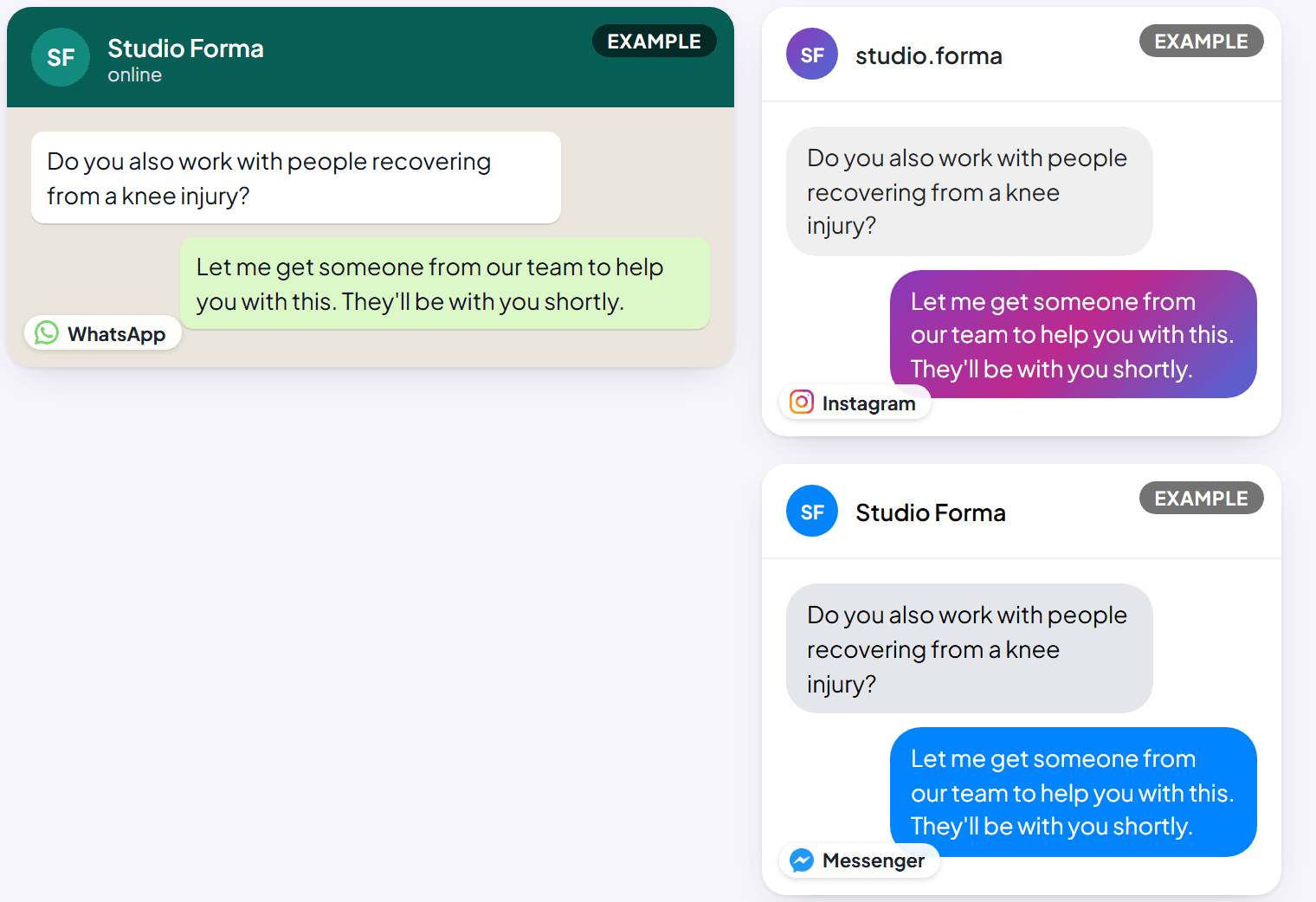
When Woozi hands off to your team
When it's sent: whenever Woozi AI can't (or shouldn't) keep answering on its own, for example a customer seems upset, explicitly asks for a person, or asks something Woozi AI isn't confident about. Channels: whichever channel the conversation is already on. Can I turn it off? Not this exact message, but the handoff itself only ever happens while AI auto-reply is turned on for your account.
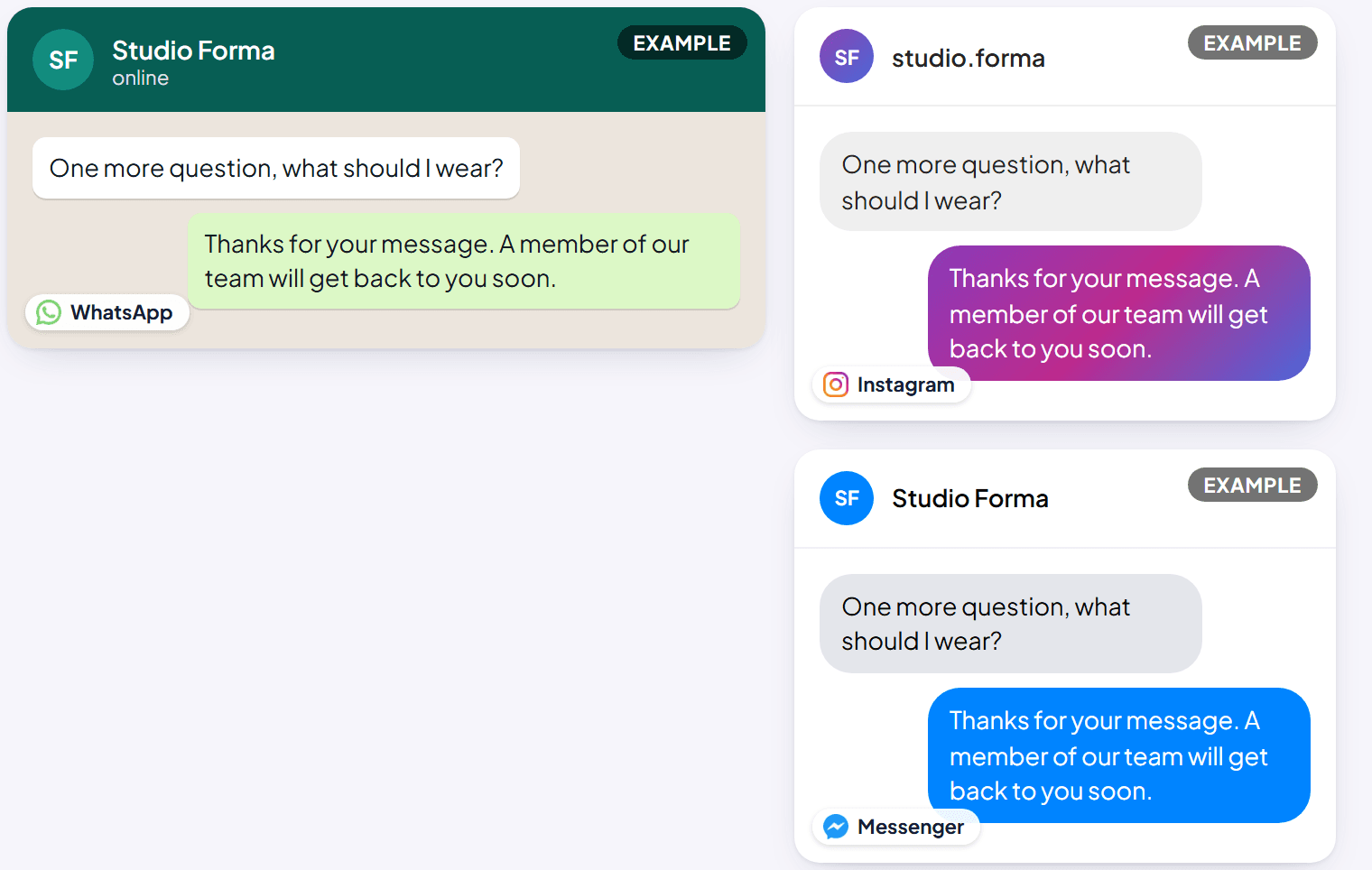
If a conversation hits its daily limit
When it's sent: once a single conversation reaches your account's replies-per-day limit for Woozi AI (set in Woozi AI Persona, 1 to 20 replies). Woozi AI picks the conversation back up on its own the next day, nothing needs resetting. Channels: whichever channel the conversation is already on. Can I turn it off? Not the message itself, but you control the limit it's tied to.
If your monthly AI replies run out
When it's sent: once your account's AI reply allowance for the period is used up, on whichever conversation happens to need a reply at that moment. Channels: whichever channel the conversation is already on. Can I turn it off? Not the message, but you can avoid it by watching your usage on Plan & billing and topping up before you run out. See How AI replies are counted.
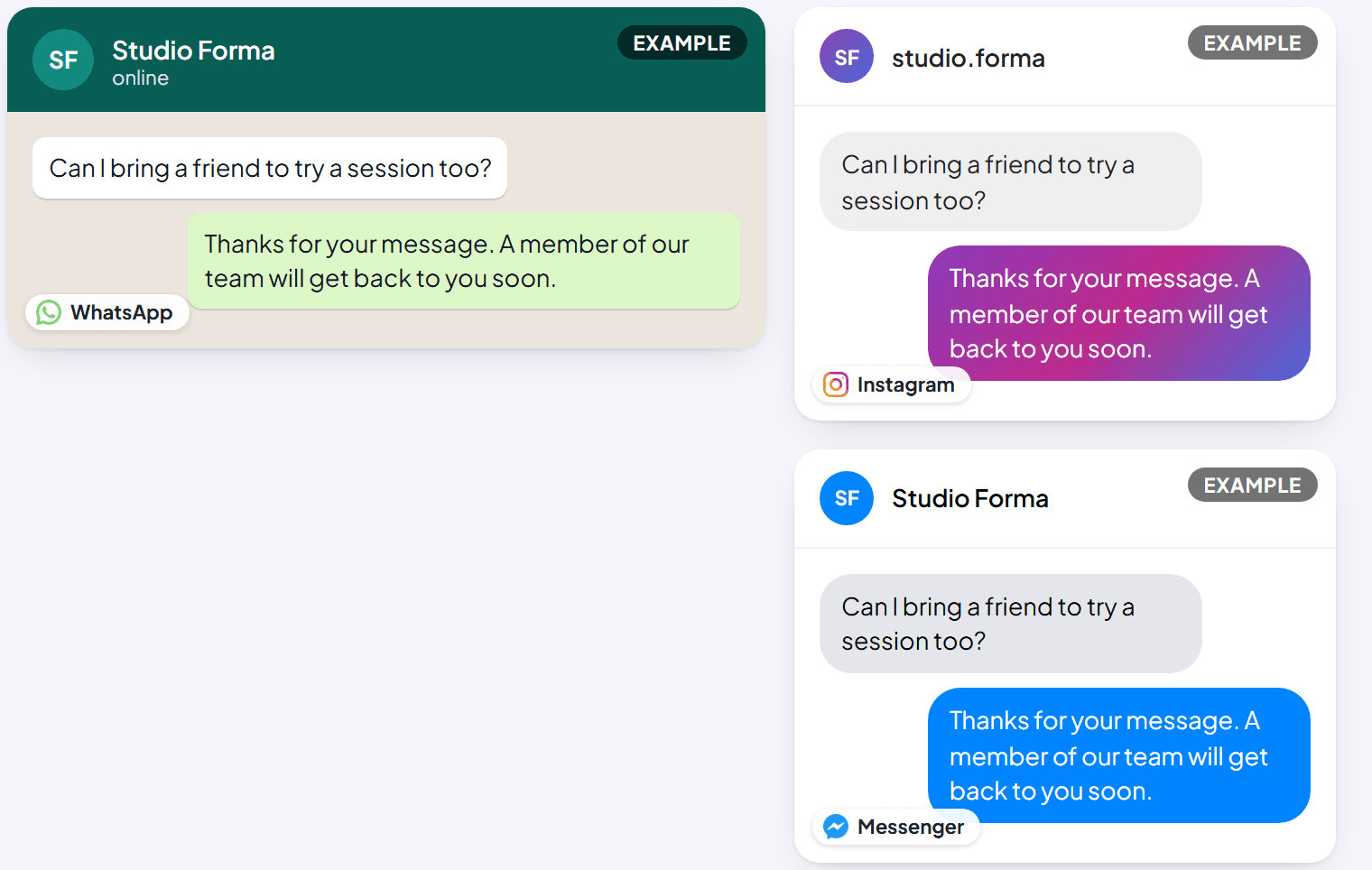
The daily-limit and monthly-limit notices say exactly the same thing, "A member of our team will get back to you soon." A customer can't tell which limit was hit, only that someone from your team will follow up.
Asking for a review
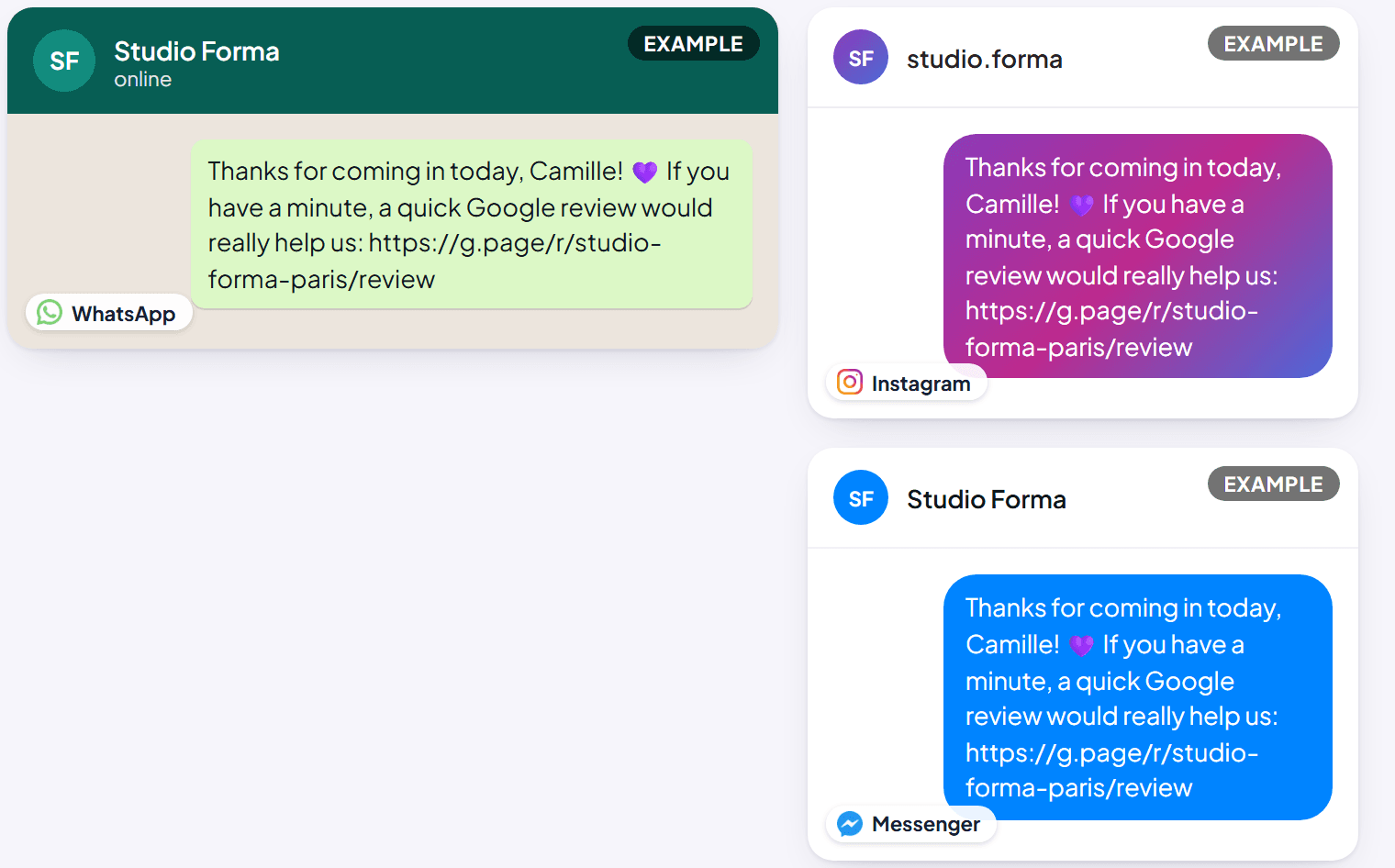
When it's sent: a few hours after a completed appointment (by default), or any time your team sends one by hand from Reviews. Channels: whichever channel the conversation is already on. There's no email version of this one. Can I turn it off? Yes, in Reviews settings, both the automatic schedule and the message's own wording are yours to turn off or rewrite.
When WhatsApp isn't available: the email fallback
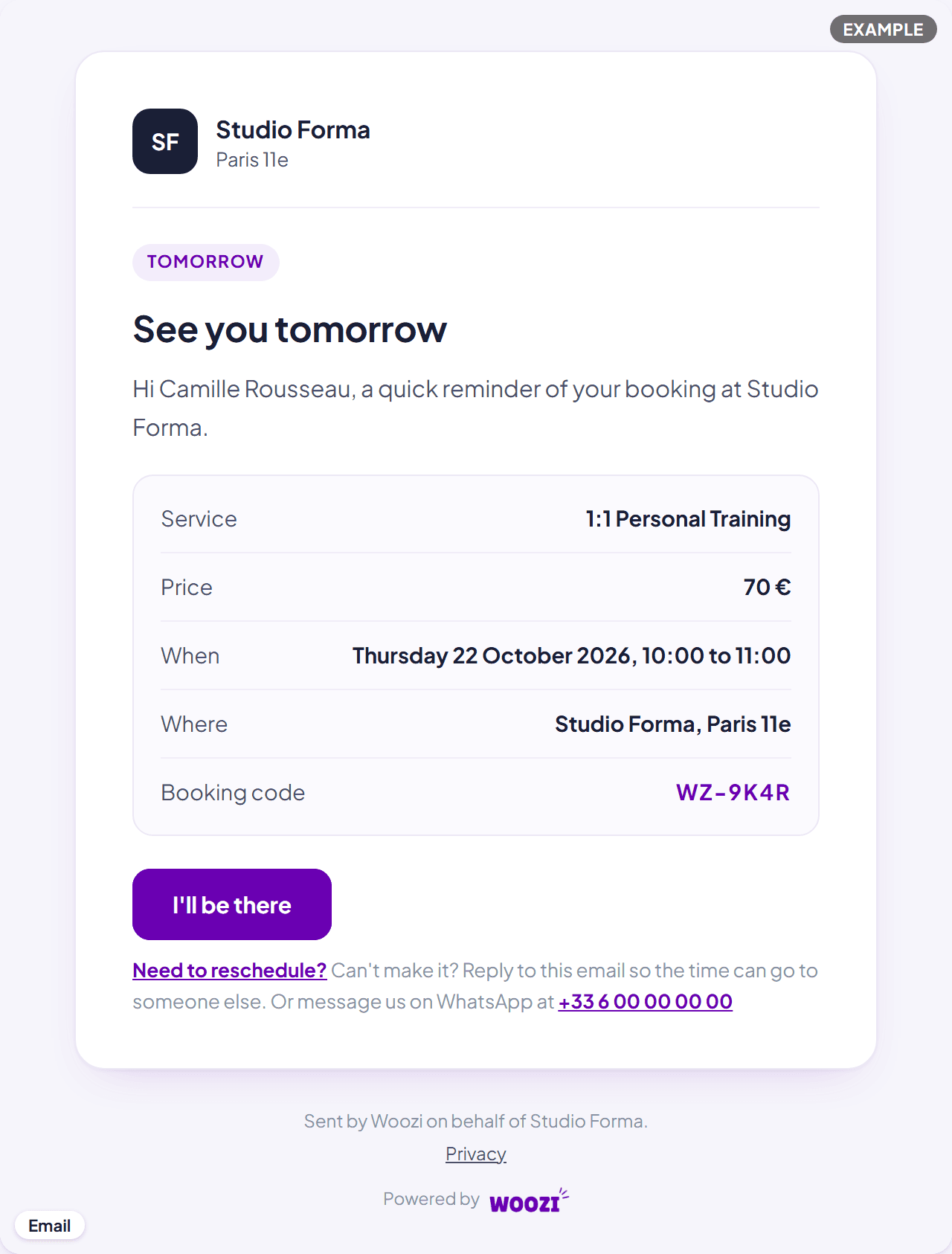
Every reminder (24-hour and 4-hour) is also emailed when the customer has an email address on file, with the same facts and a one-tap "I'll be there" / "Need to reschedule?" pair of buttons. So when WhatsApp can't carry it (the customer hasn't written recently and the paid version is off or paused, or they replied STOP), the email still reaches them.
Common questions
Does Woozi ever text my customers from my personal number?
No. Every message on this page goes out from your connected business number or page, never from a personal phone.
Can I see these messages in my own language?
Booking confirmations, reminders, reschedules and cancellations follow the language the booking itself was made in. The handoff notice and the two reply-limit notices follow your account's own default language, set in Business details.
What if a customer has no email address or WhatsApp window open?
Woozi sends whatever it can. A booking made in chat is confirmed in that chat regardless, the confirmation email on top of that needs an email address, if there isn't one, only the chat confirmation goes out. A booking made through your booking link has no chat to confirm in, so it relies on the email, if there's no address, nothing confirms it automatically. A reminder goes by WhatsApp when it can (see the 24-hour reminder above) and by email whenever there's an address; if neither is possible, nothing goes out automatically and the booking shows "Not sent, call the customer".