
How AI replies are counted
What counts as an AI reply, your daily and monthly limits, and what happens when you run out.
Every automatic reply Woozi AI sends counts against your plan's AI replies. Here's exactly how that counting works, and what happens if you run out.
Replies cost 1, except booking actions
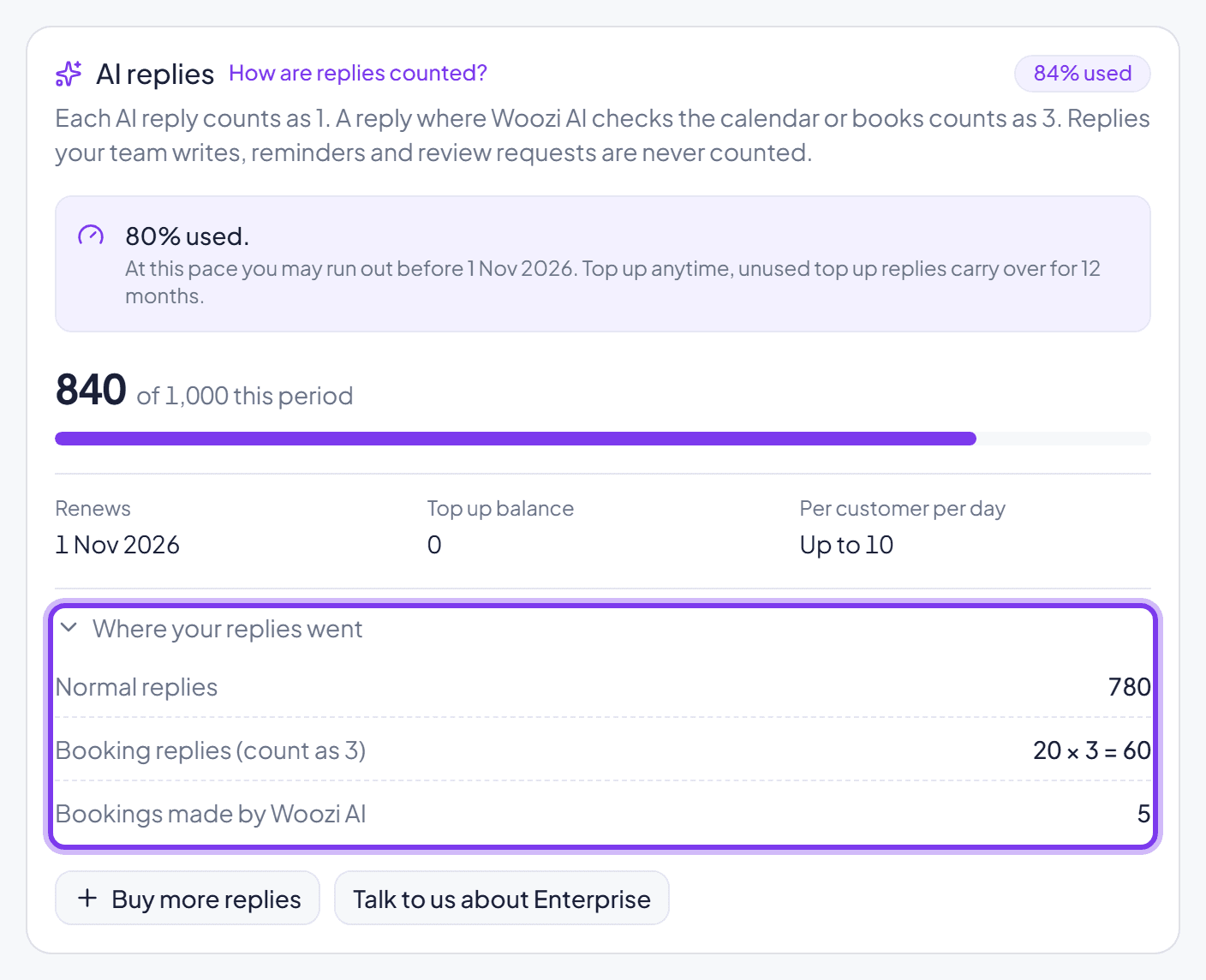
Most AI replies cost 1. A reply that checks availability, books, cancels, or reschedules an appointment, or accepts a waitlist offer, costs 3, since these are the actions that make the AI genuinely useful and do more work behind the scenes.
Replies written by a human, reminder messages, and review requests are never counted. If you bring your own OpenAI or Anthropic key, your replies aren't counted either, your card simply reads "Using your own AI key. Not counted."
Your daily limit, per customer
Each customer gets at most 10 automatic replies a day by default. Change this from Max AI replies per customer per day in your Woozi AI Persona settings, anywhere from 1 to 20.
Once a customer reaches it, that chat goes to your team for the rest of the day. The customer gets one short message letting them know a team member will follow up, and Woozi AI starts replying to them again by itself the next day. You can always hand the conversation back to the AI yourself before then from the inbox.

Your monthly allowance
Your plan includes a set number of AI replies for the period:
| Plan | AI replies |
|---|---|
| Free trial | 300 for the whole 14-day trial |
| Woozi Assist | 2,000 per month |
| Woozi Assist Pro | 4,500 per month |
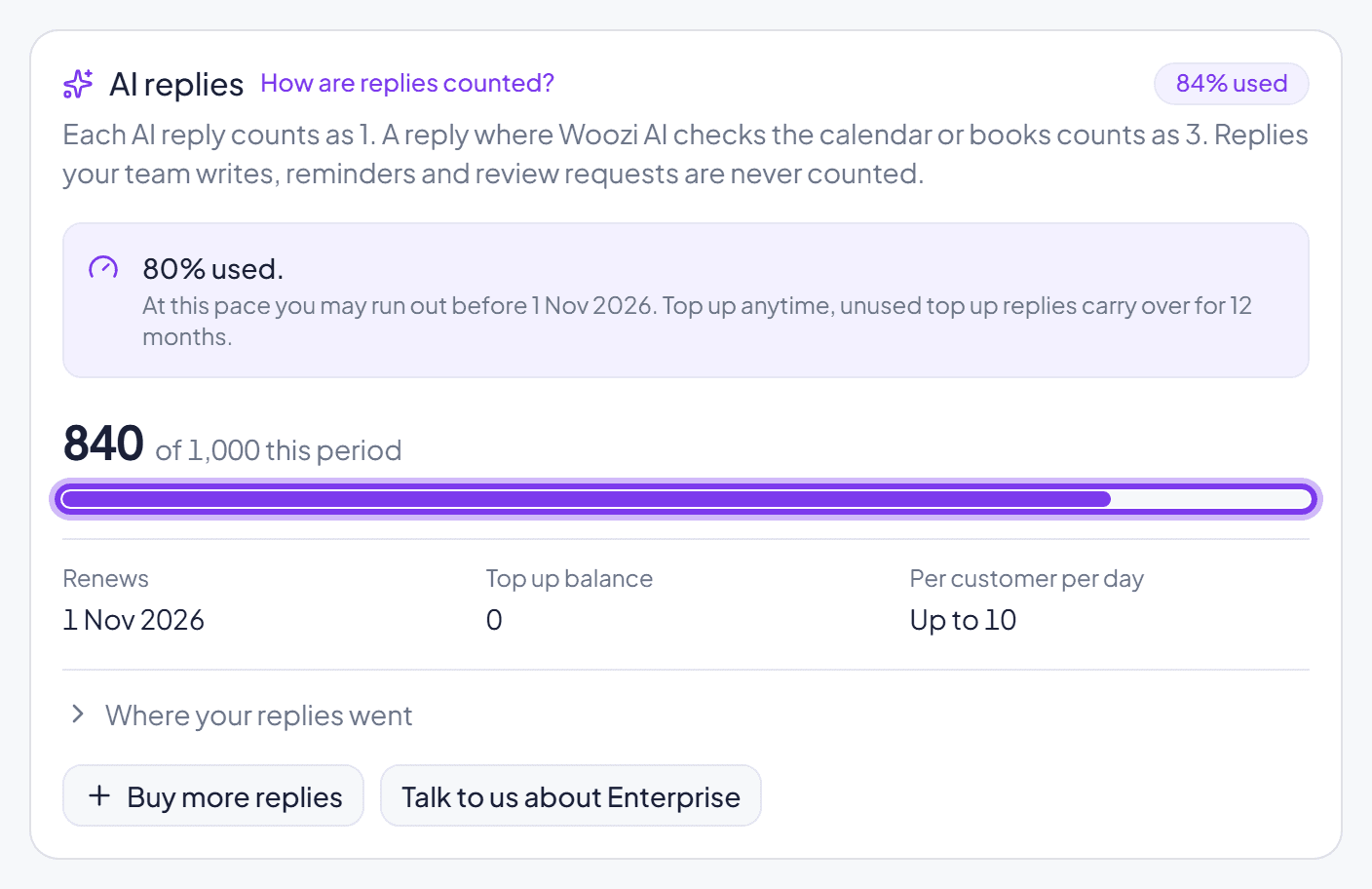
At 80% used, you get a notification so you can plan ahead. At 100% used, Woozi AI pauses account-wide until the next period starts, until you buy a top-up, or until you upgrade your plan. Your team can always keep replying by hand in the meantime.

Where to check your usage
Go to Settings, Plan & billing, and find the AI replies card. It shows how many you've used this period, with a breakdown of normal replies, booking replies, and anything paid from a top-up.
Common questions
Do replies written by my team count?
No. Only replies Woozi AI sends on its own count. Anything you or a teammate types yourself is free.
What happens if I run out before the month ends?
Buy a top-up to turn Woozi AI back on immediately, or wait for your next period. See Buy more AI replies (top-ups).
Why did one reply use 3 instead of 1?
It included a booking action, checking availability, booking, rescheduling, cancelling, or accepting a waitlist offer. Just listing existing bookings, or a customer merely mentioning they might cancel, still costs 1.