
Teach your assistant
Give us your website, services and tone, so your assistant answers customers in your own words.
Give Woozi your website, services and tone, so your assistant's first answers already sound like you, not like a generic bot.
Before you start
- Your business website address, if you have one. No website? You can enter everything by hand instead.
Read your website automatically
- 1
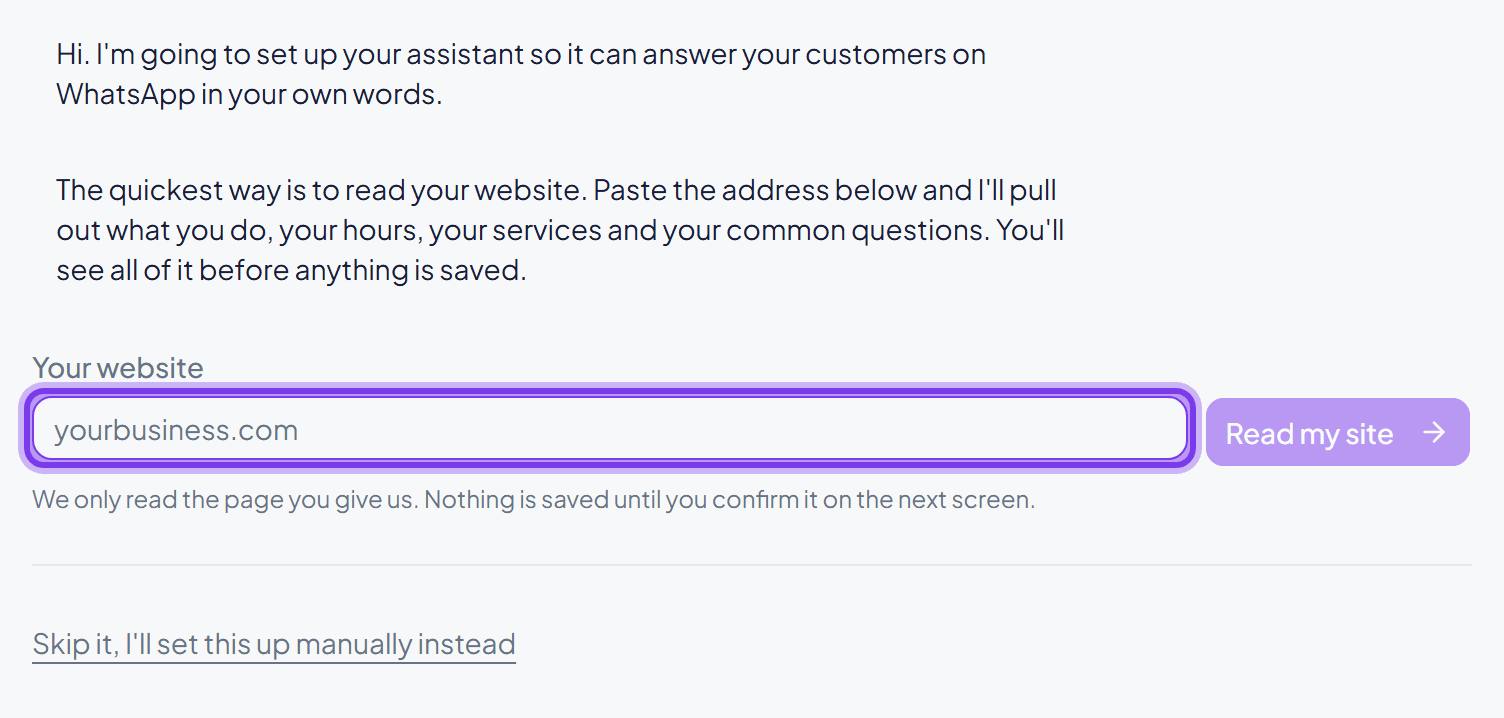
Paste your website address
On the setup screen, enter your website and click Read my site. Nothing is saved yet.
- 2
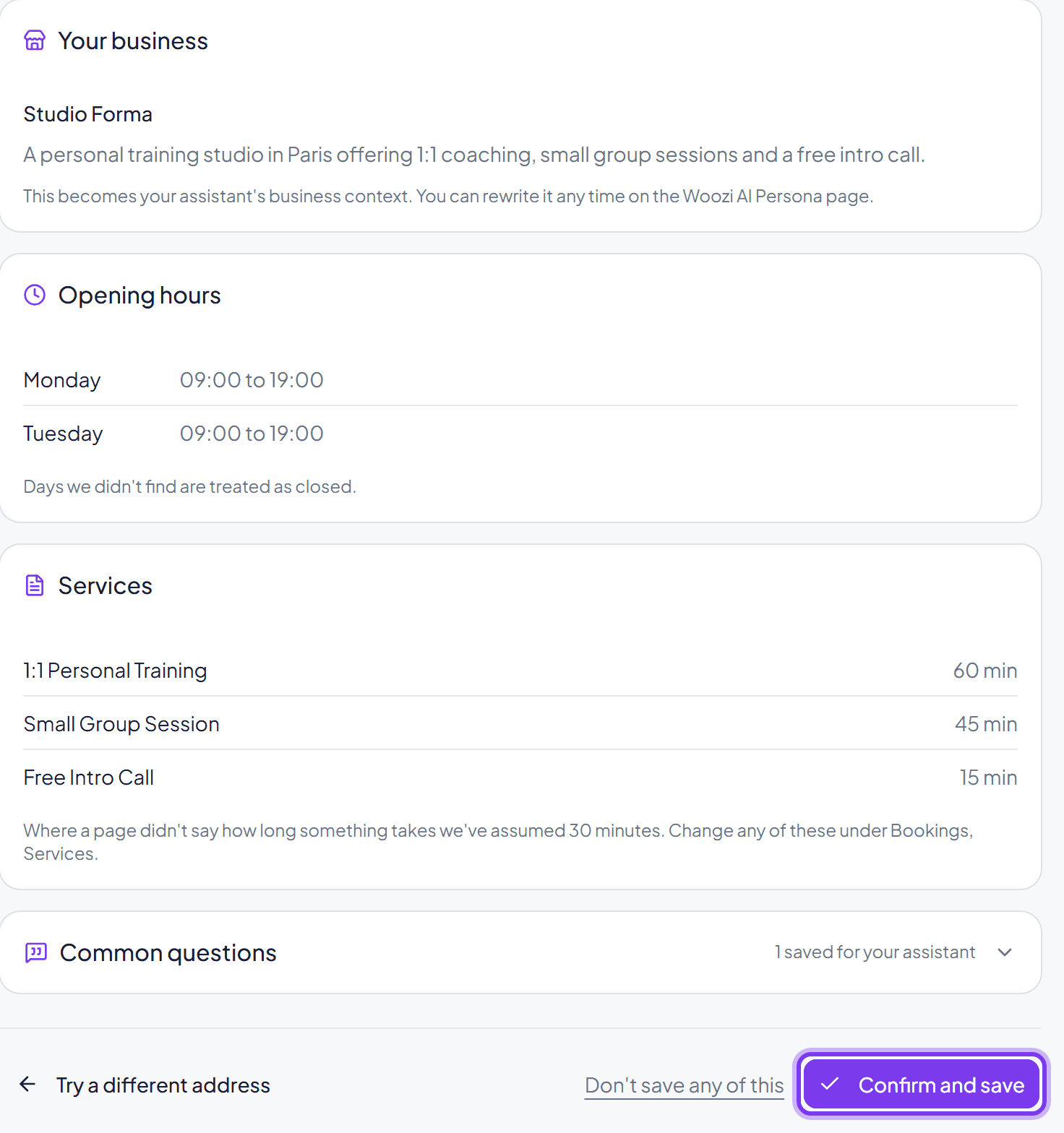
Check what it found
Woozi shows your business description, opening hours, services, and common questions it found. Review each one, anything unclear is flagged for you to double check.
- 3
Confirm and save
Click Confirm and save. This only works once, on a brand-new account, so it never overwrites work you've already done.
Reading your website only drafts your assistant, it does not turn it on. You decide when it starts replying to customers, in the next section.
Fine-tune your assistant
Go to Woozi AI Persona to refine everything the website import drafted, or to set it up from nothing.
- 1
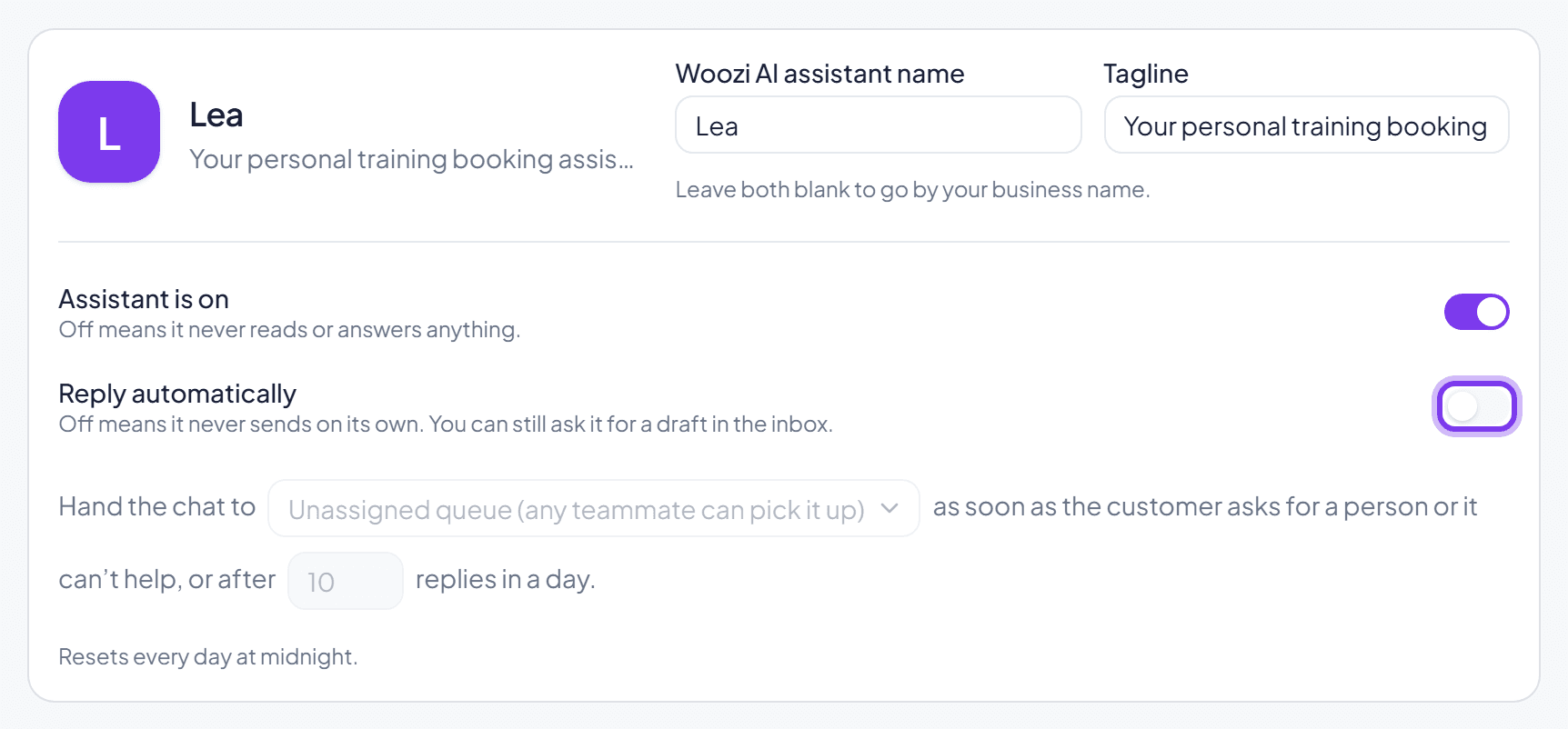
Turn your assistant on
Flip Assistant is on, then Reply automatically once you're happy with what it says.
- 2
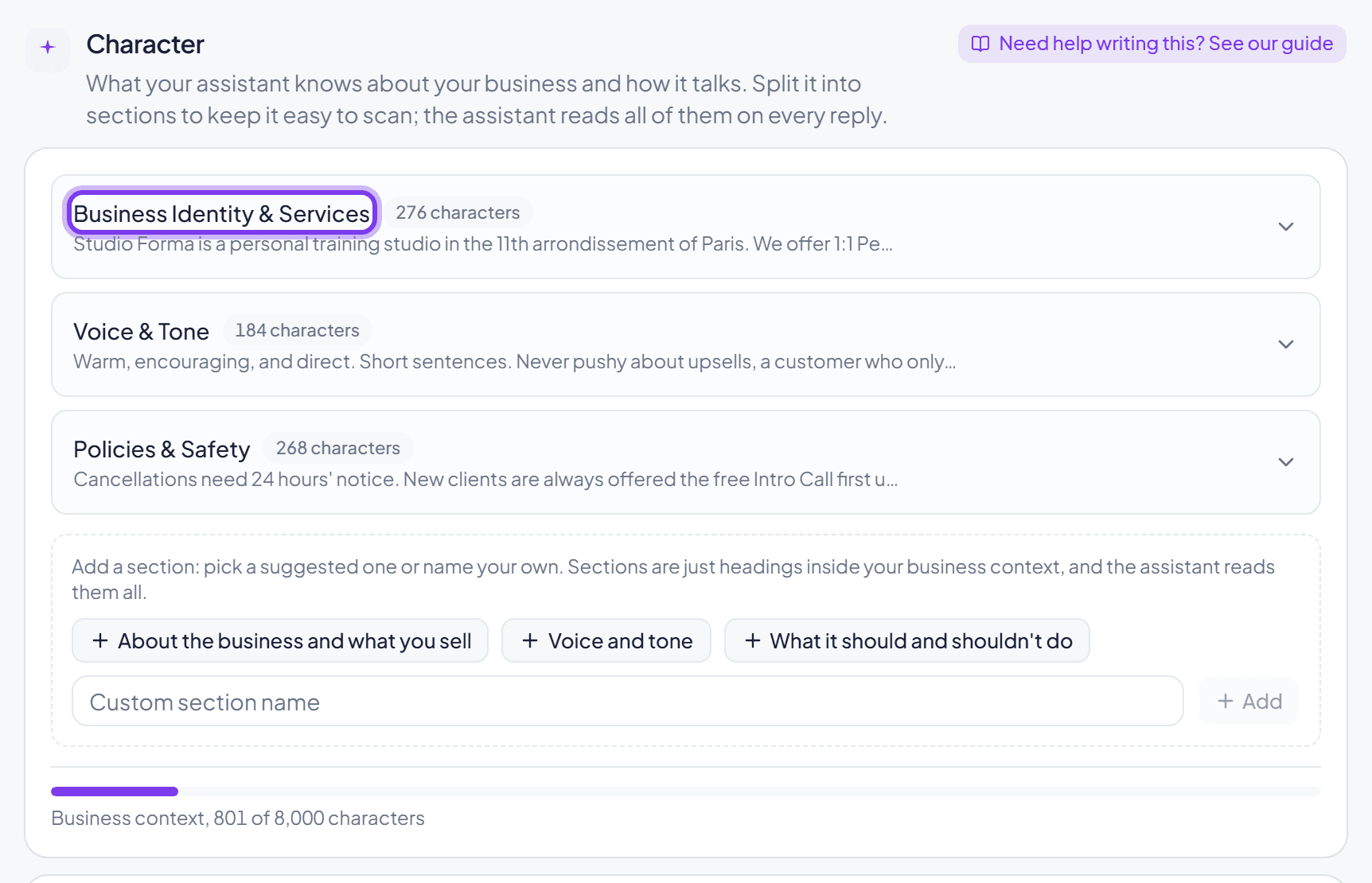
Write your Character
This is what your assistant always knows: who you are, how you talk, and your hard rules. See Writing a good Character for a full guide to this field.
- 3
Add Knowledge base documents
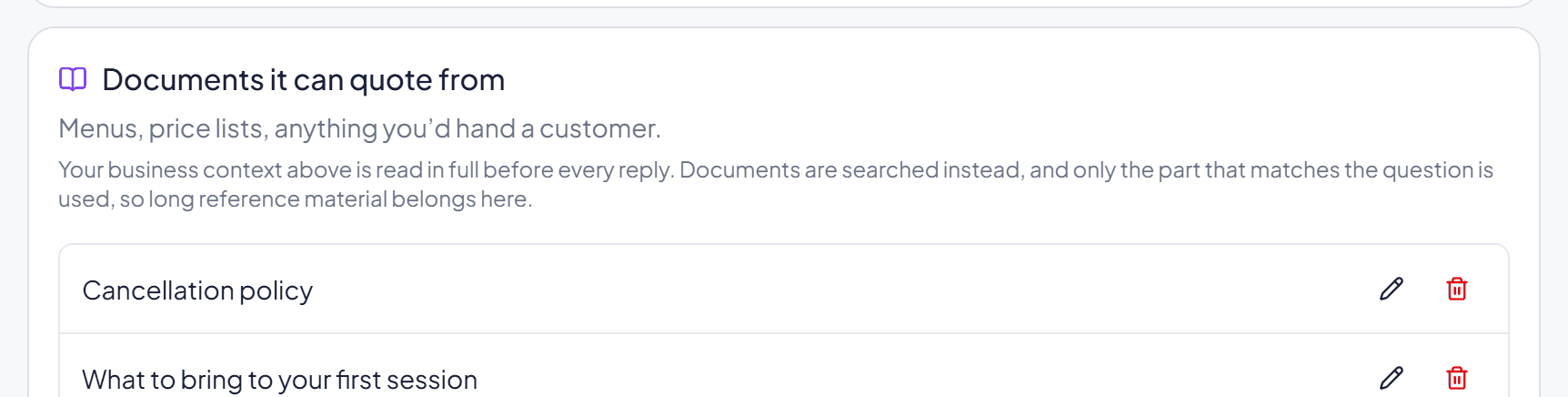
Menus, price lists, and anything else a customer might ask about in detail. Your assistant looks these up only when relevant.
Your assistant can't book appointments until you've added at least one location, its hours, and a service. See Services, hours and availability.

Common questions
What if my website information is wrong or out of date?
Nothing is saved until you confirm it. Fix anything wrong on the review screen before saving, or edit it later on the Woozi AI Persona page, nothing here is permanent.
What's the difference between Character and Knowledge base?
Character is read in full on every single reply, keep it short and direct. Knowledge base is searched only when it seems relevant, so longer reference material belongs there instead. See Writing a good Character for the full guide.
Can I choose the AI engine, or use my own key?
Yes. Woozi runs the AI for you by default; pick Anthropic Claude or OpenAI as the engine that writes replies. Bringing your own key instead reveals extra fields (model, API key) on the Woozi AI Persona page, and your replies are no longer counted against your plan's AI reply allowance.
